Page found out this website and I want to share with yall as well. It has all the css example code for the website. This is a very helpful tool for you if you make your website in Dreamweaver.
http://www.w3schools.com/css/default.asp
Monday, December 9, 2013

Thursday, December 5, 2013
Tuesday, December 3, 2013
Website Inspiration
I found this cool website inspiration while browsing idea for my website. check it out http://webdesignledger.com/inspiration/best-of-web-design-in-2012
Tuesday, November 19, 2013
Creating and animating a flower
This tutorial shows how to create and animate a 3D flower using CINEMA 4D's MoGraph toolset.
http://www.youtube.com/watch?v=YVJ0RgyydtI
http://www.youtube.com/watch?v=YVJ0RgyydtI
quick way to get something to melt
This is just a real quick way to get something to melt.
It just happened in ONE min..
http://www.youtube.com/watch?v=rcHeia14EA4&feature=share
It just happened in ONE min..
http://www.youtube.com/watch?v=rcHeia14EA4&feature=share
Tuesday, October 29, 2013
Plant producing software
This is a link to FREE plant producing software.
http://www.plantfactory-tech.com/download/
Please beware that if you make a tree or plant, it will take out one of every 5 vertices when you export it. So when you put it into cinema 4d (save as .obj file), it'll have holes in the mesh. You can go back and fill in the holes, but it takes time. There are tutorials on youtube on how to use this software here: http://www.youtube.com/watch?v=VRL03vCZ9TM
http://www.plantfactory-tech.com/download/
Please beware that if you make a tree or plant, it will take out one of every 5 vertices when you export it. So when you put it into cinema 4d (save as .obj file), it'll have holes in the mesh. You can go back and fill in the holes, but it takes time. There are tutorials on youtube on how to use this software here: http://www.youtube.com/watch?v=VRL03vCZ9TM
Thursday, October 24, 2013
Falling Buildings Tutorial!
A really cool and easy tutorial to make buildings(blocks or really any shape) and animate them falling.
Wednesday, October 23, 2013
C4D Inspiration
Ideas to look at for the animation project
https://vimeo.com/17065880
https://vimeo.com/29644075
https://vimeo.com/23966048
https://vimeo.com/17065880
https://vimeo.com/29644075
https://vimeo.com/23966048
Sunday, October 20, 2013
Motion graphic
I found this beautiful motion graphic design while searching on behance web for inspiration. It has cool illustration and animation. Check it out
http://www.behance.net/gallery/Think-With-Google/11204911
http://www.behance.net/gallery/Think-With-Google/11204911
Cinema 4D Inspiration
Here's some of the work from a brother of my fraternity who works heavily with Cinema 4D and Photoshop.
http://halucinated.com/portfolio/#!prettyPhoto
http://halucinated.com/portfolio/#!prettyPhoto
Thursday, October 17, 2013
Cinema 4D Grass Tutorial
If anyone is interest in making grass, here's a good tutorial.
http://www.youtube.com/watch?v=Yt8y7-5lOHA
http://www.youtube.com/watch?v=Yt8y7-5lOHA
Thursday, October 10, 2013
Free Texture website
This is a great website for free textures for 3D objects. Some are tiled, which means you can repeat the pattern and it blends together. Some are NOT tiled, so beware. If you sign up, its free and I have yet to get spammed by using it.
http://cgtextures.com/
http://cgtextures.com/
Tuesday, October 1, 2013
Sunday, September 15, 2013
Vitor
This guy is a developer and web designer in Rio de Janeiro who does super awesome work. Really inspirational. Check out some of his work.
http://vitor.cc/
P.S. Is this the kind of stuff we're supposed to post on here?
http://vitor.cc/
P.S. Is this the kind of stuff we're supposed to post on here?
Monday, September 2, 2013
Educational App Document - Due 09/05/13 (Thursday)
For Thursday, please bring in a hard copy of your initial project brief document. It should contain the following information:
1. App Name
2. Audience (For whom is your app designed? Is it geared towards a specific gender, age range, environment or situation, etc.?)
3. Overview (Describe your app and its topic. If there are any activities or game elements, you should outline how they will work.)
2. Screen List (List of Screens by Title)
3. Flow Chart of Screens (How do you navigate to each of your screens? How do they connect?)
4. Content List (For each screen, write out the page title, and what text and images will be included on each screen. Define the content in as much detail as possible, because you can't design the screens until you know what will go on them.)
5. Any thumbnails or sketches developed so far.
Also, here is a download link for earlier versions of GameSalad. Remember just to use the version we have on the lab computers: 0.9.94. If you work on a PC, the user interface is very different, so be warned.
Research and design needs to be done this week and next. The week before it is due, we will be importing your graphics into GameSalad (by Tuesday [9/17]) and we will work on the interactivity during that week.
This project will be due 09.24.13 (Tuesday), but the critique will be 09.26.13. You will turn in your app to me on 09.24.13, and I will load them on the iPads before that Thursday when we have our user testing.
1. App Name
2. Audience (For whom is your app designed? Is it geared towards a specific gender, age range, environment or situation, etc.?)
3. Overview (Describe your app and its topic. If there are any activities or game elements, you should outline how they will work.)
2. Screen List (List of Screens by Title)
3. Flow Chart of Screens (How do you navigate to each of your screens? How do they connect?)
4. Content List (For each screen, write out the page title, and what text and images will be included on each screen. Define the content in as much detail as possible, because you can't design the screens until you know what will go on them.)
5. Any thumbnails or sketches developed so far.
Also, here is a download link for earlier versions of GameSalad. Remember just to use the version we have on the lab computers: 0.9.94. If you work on a PC, the user interface is very different, so be warned.
Research and design needs to be done this week and next. The week before it is due, we will be importing your graphics into GameSalad (by Tuesday [9/17]) and we will work on the interactivity during that week.
This project will be due 09.24.13 (Tuesday), but the critique will be 09.26.13. You will turn in your app to me on 09.24.13, and I will load them on the iPads before that Thursday when we have our user testing.
Tuesday, December 4, 2012
Inspirational Breakdown: 40 Wacky 3D Websites
Inspirational 3D Websites
Snickers

Digital Hands

Plantate

Thank You

The Art of the Brick

Beatboxacademy

Meomi

Cadbury Dairy Milk

Nespresso

Whittakers

The Lost Phone Experiment

ZEUS

Pygmalion

Mechaniks

Ben Faragau

Platin

Ready Made Designs

Dumb Ways to Die

Airfront

Florian Bernard

TouchPhoto

Play Media

Motorola

Shinkansensen and Love

Django

SniIkea Textile Grants>

AXT Brand Identity

Immersive Garden

Prism Girl

Camp Balcones Springs

NZOPERA

Sensisoft
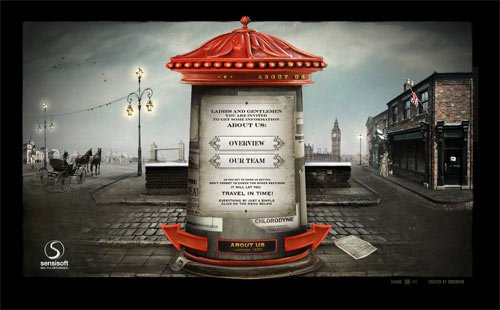
Markez Models

Dance the Band

Uniride

Drop

Tinke

Acko

Moonrise Kingdom

SimCity

Other interesting articles from the same Author
Monday, December 3, 2012
Dock Icon Designs via BoostInspiration.com
A Showcase of Beautifully Designed Dock Icons
|

Posted: 03 Dec 2012 05:37 AM PST

To Mac users, the dock is hugely important. The apps that you choose to include in there will be seen many times throughout the day - and the number of apps you include is limited. If you're designing an application for OSX, it's not enough for the app to be beautifully designed - the app icon is equally as important. If the program has a beautifully designed dock icon, then it can earn its place in the menu bar and be proudly shown off. If not - then it may never see the light of day. This desire for beautifully designed, refined and polished icons seems to be particularly strong in Mac users. While PC users also appreciate good design, Mac users tend to come into contact with well designed software more often. This is in large part down to Apple’s obsessive focus on design - so much of their time and effort is spent on crafting beautiful user interfaces that it sets the standard for all other software available on their machines. Software developers who create products for the Mac often tend to follow suit – as Mac users tend to appreciate good, clean and intuitive designs. We've brought together a collection of beautifully designed, creative and interesting dock icons - some are the official versions while others are redesigns from people looking to spice them up or add some flair. In either case, we hope you find them a useful source of inspiration for your next OSX app design project. If you like this article, you might be interested in other article on How to Create Icons: 25 Best Tutorials.
Clear

Magic Note

Sublime Text 2

Induction

Sparrow

Espresso

iChat Redesign

Photoshop Redesign
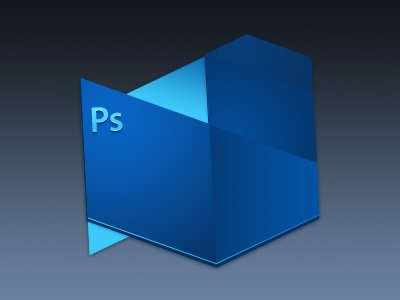
Billings

VirtualHostX

Coda

Rocketter

Fileshuttle

DebugWords

Octopus

Strongspace
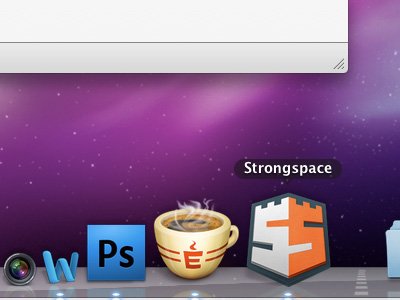
Adobe Fireworks Redesign

Mixxx Icon

Wunderlist

Flint
 Have you found any beautifully designed Mac dock icons that you think deserve to be mentioned? Let us know in the comments.
Subscribe to:
Posts (Atom)